

Start with the production dieline and written specifications supplied for the exact component. A print-ready package should make trim, bleed, safe areas, colors, finishing layers, fonts, linked images, and file versions unambiguous before proofing begins.
Before design begins
- Lock the component list, finished sizes, materials, folds, and packaging structure.
- Request current dielines for every card, board, box, booklet, punchboard, insert, and label.
- Confirm bleed and safe-area values with the production team instead of copying them from another supplier's template.
- Agree on the required PDF standard, color profile, spot-color naming, and finishing-layer conventions.

Run a preflight before upload
- Check document dimensions, trim, bleed, folds, glue zones, and safe areas.
- Embed or outline fonts according to the approved workflow and confirm licensing.
- Resolve missing links and low-resolution images at final placed size.
- Name spot colors consistently and separate cut, crease, varnish, foil, white ink, and emboss layers.
- Review overprint, transparency, rich black, small reversed text, and minimum line weights.
- Remove hidden drafts, comments, unused layers, and obsolete language versions.
Adobe's current print-PDF guidance recommends checking links, fonts, bleed, color settings, and preflight errors. ISO 15930-7 defines PDF/X-4 for complete print-data exchange. Use the format requested for the specific Jinayon production workflow rather than assuming one export preset fits every job.
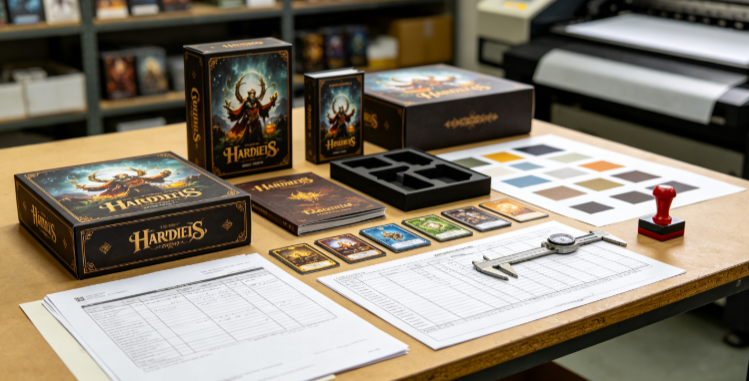
Package the handoff so approvals are traceable
- Use one dated master folder and a clear version number.
- Include a component manifest that lists every expected file.
- Separate editable source files from final print PDFs.
- Identify the approver for content, color, construction, and legal markings.
- Record every proof correction and close the old version before uploading a replacement.
What to send for a useful prepress review
Send the component list, final quantities, destination markets, dielines, print PDFs, linked assets when requested, color references, finishing notes, and the name of the person authorized to approve the proof. Production timing should start only after the final files and approval route are clear.


